

1·
18 days agoYep. I’m doing it currently with my work laptop. I have two G speakers set up as a stereo pair and connected to laptop by BT.
Yep. I’m doing it currently with my work laptop. I have two G speakers set up as a stereo pair and connected to laptop by BT.
For me the win is being able to delete my Google speakers for voice control. Paired with Home Assistant Voice device it can pretty much replace Google. I’ll just use the Google speakers via bluetooth as music players.
UI is a bit clunky as mentioned, but I’m happy to live with that for now due to ^^^.
Good point, I have hears of people having issues with Aqara stuff like that. Good flag.
Winning at protocol mastery. I commend thee.
Speaking of devices, I’m actually still using an ancient Conbee II and it’s rock solid. I thought about changing it recently and ordered a ZBT-2 for a more up to date product, but then I realised I was insane and set it up as a Thread Border Router instead, so I have both now.
Do many companies let you use their hubs to connect to devices from competitors? I always assumed of you bought X brand, you could only connect to X brand.
If you are gettng a refund, would you consider using Zigbee2MQTT with a suitable dongle from Home Assistant, Sonoff etc.? Then you can connect your Aqara stuff and pretty much any other brand you want, without any of their hubs.
Apologies if I’m missing something subtle here but it seems normal that Aqara would want to tie you into their products only.
Pi4 w/ SSD.
Yeah maybe so. I’ll have a look at the entity names bit I think the loop.is being caused by something in my code. Will report back!
I have this set up to launch SmartTube instead of YouTube. Its working but there is a 1sec delay during which yhe YouTube screen flashes up. Also theres a looping issue if you use the back button to get out of SmartTube.
However, nice to have a way to remap the buttons without installing an additional app.
Nabu Casa is the way. Built by Home Assistant for Home Assistant, and utterly seamless and reliable (in my experience).
Most importantly it supports the developers who have created this amazing piece if software! Do it! 👍🏼🙏🏼
Thanks, I understood those names but I was curious about the Netflix and Jellyfin variables com.Netflix.ninja and org.Jellyfin.androidtv. How did you figure out what those were? I’ll need to do the same for YT and SmartTube.
Can you share a bit about how you got the names for the Netflix and Jellyfin variables please? My daughter asked me yesterday if we could change the YouTube button to SmartTube! I said I didn’t think it was possible! 👀
Thanks!
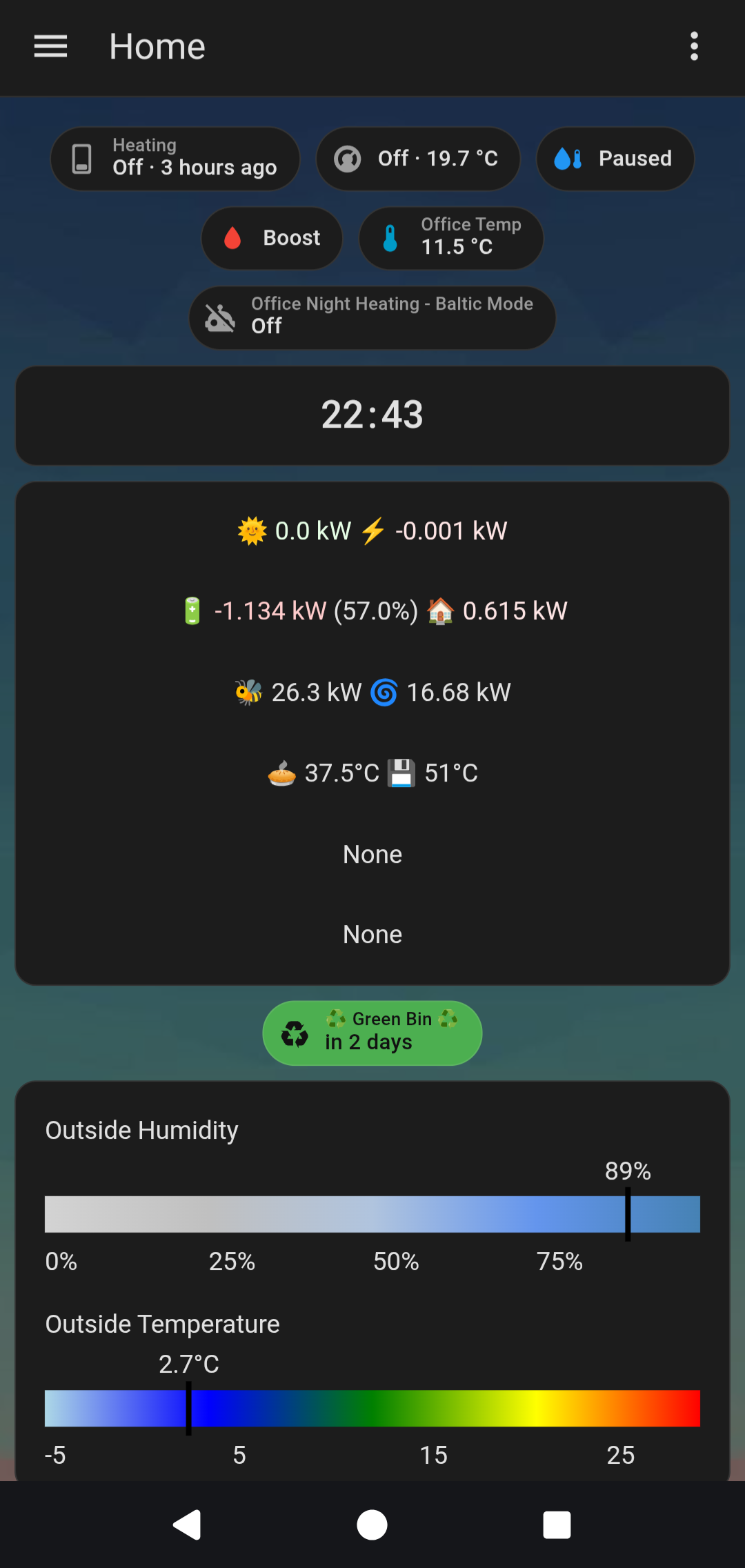
Solar mainly, and a few badges that double up as buttons. Weather and humidity bars utterly pointless but it took ages to get them right so I keep them.
I think this is the way too. I have never updated firmware on a device via the Pi. Always connected to a PC.
Can you confirm that you do not have ZHA and Z2M running at the same time?
That’s what I would do next.
This is what I use: https://www.seeedstudio.com/XIAO-7-5-ePaper-Panel-p-6416.html
Using ESP Home Builder in Home Assistant I can push updates to it.
It works, but for me its far too much work for what it is. Updates are a pain in the hole, and come fairly frequently.
I’ve just ditched it now to be honest.
I was using it to display the weather where my wife worked each morning so she could dress accordingly. It did what it was supposed to do but was too much work. Wireless firmware updates seldom worked and it needed to be connected to a computer to reliably update.
For me personally the convenience isn’t there. Compare it to a similar sized tablet that I can run Fully Kiosk in to display a Home Assistant dashboard that updates effortlessly, and its a non-runner.
May be absolutely fine for other use cases but for me it was prohibitive. Battery life is a few months based on waking up each morning to refresh and going back to sleep until the next morning, but, you can’t monitor the battery level, a known issue with these. That simply is bananas!